


You provide three tiers to your customers: Gold, Silver, and Bronze. And one of the perks of the higher tiers is priority over the others when your customers need you.
Gold customers get served first. When no Gold customers are waiting, you serve Silver customers. Bronze customers get served when there’s no one in the upper tiers waiting.
How do you set up this queue in your Python program?
You need to consider which data structure to use to keep track of the waiting customers and what code you’ll need to write to keep track of the complex queuing rules.
Sure, you could keep three separate lists (or better still, three `deque` objects). But that’s not fun! And what if you had more than three priority categories? Perhaps a continuous range of priorities rather than a discrete number?
There’s a Python tool for this!
So let’s start coding. First, create the data structure to hold the customer names in the queue:

“You told me there’s a special tool for this? But this is just a bog-standard list, Stephen!!”
Don’t send your complaints just yet. Yes, that’s a list, but bear with me. We’ll use the list just as the structure to hold the data, but we’ll rely on another tool for the fun stuff. It’s time to import the heapq module, which is part of the Python standard library:

This module contains the tools to create and manage a heap queue, which is also known as a priority queue. I’ll use the terms ‘heap queue’ and ‘priority queue’ interchangeably in this post. If you did a computer science degree, you’d have studied this at some point in your course. But if, like me and many others, you came to programming through a different route, then read on…
Let’s bundle the customer’s name and priority level into a single item. Jim is the first person to join the queue. He’s a Silver-tier member. Here’s what his entry would look like:

It’s a tuple with two elements. The integer 2 refers to the Silver tier, which has the second priority level. Gold members get a 1 and Bronze members—you guessed it—a 3.
But don’t use .append() to add Jim to service_queue. Instead, let’s use heapq.heappush() to push an item onto the heap:

Note that heapq is the name of a module. It’s not a data type—you don’t create an instance of type heapq as you would with data structures. You use a list as the data structure, which is why you pass the list service_queue as the first argument to .heappush(). The second argument is the item you want to push to the heap. In this case, it’s the tuple (2, “Jim”). You’ll see later on why you need to put the integer 2 first in this tuple.
The heapq module doesn’t provide a new data structure. Instead, it provides algorithms for creating and managing a priority queue using a list.
Here’s the list service_queue:

“So what!” I hear you say. You would have got the same result if you had used .append(). Bear with me.
Pam comes in next. She’s a Gold-tier member:
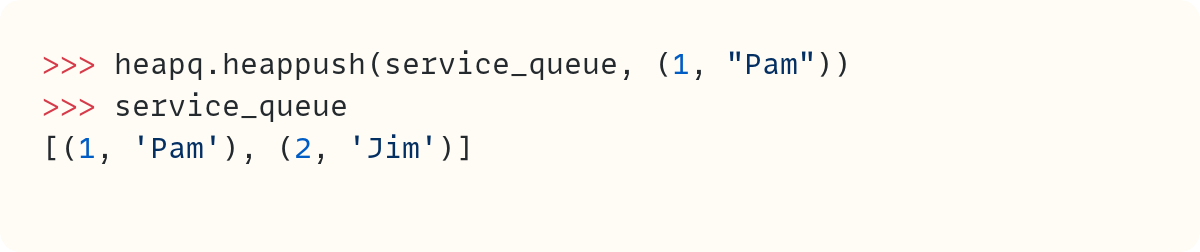
OK, cool, Pam was added at the beginning of the list since she’s a Gold member. What’s all the fuss?
Let’s see what happens after Dwight and Michael join the queue. Dwight is a Bronze-tier member. He’s followed in the queue by Michael, who’s a Silver-tier member:
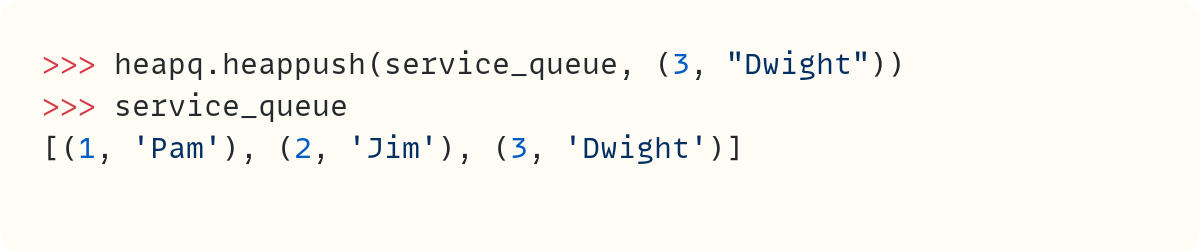
OK, this is what you’d expect once Dwight joins the queue, right? Dwight is a low-priority customer, so he’s last. Is this just a way of automatically ordering the list, then? Not so fast…
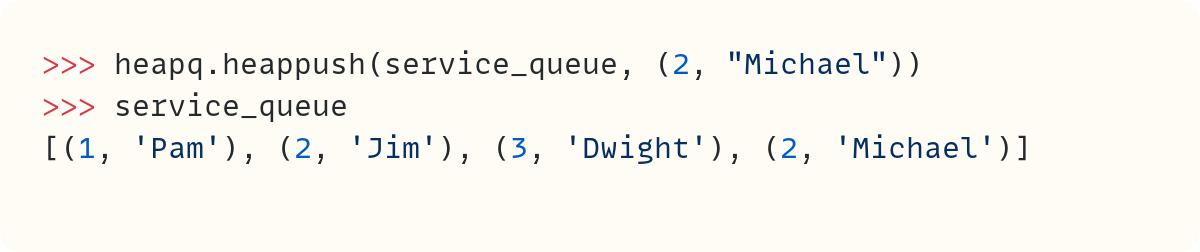
The fourth customer to walk in is Michael, who’s a Silver-tier customer. But he ends up in the last position in the list. What’s happening here?
It’s time to start understanding the heap queue algorithm.
Heap Queue • What’s Going On?
Let’s go back to when the queue was empty. The first person to join the queue was Jim (Silver tier). Let’s place Jim in a node:
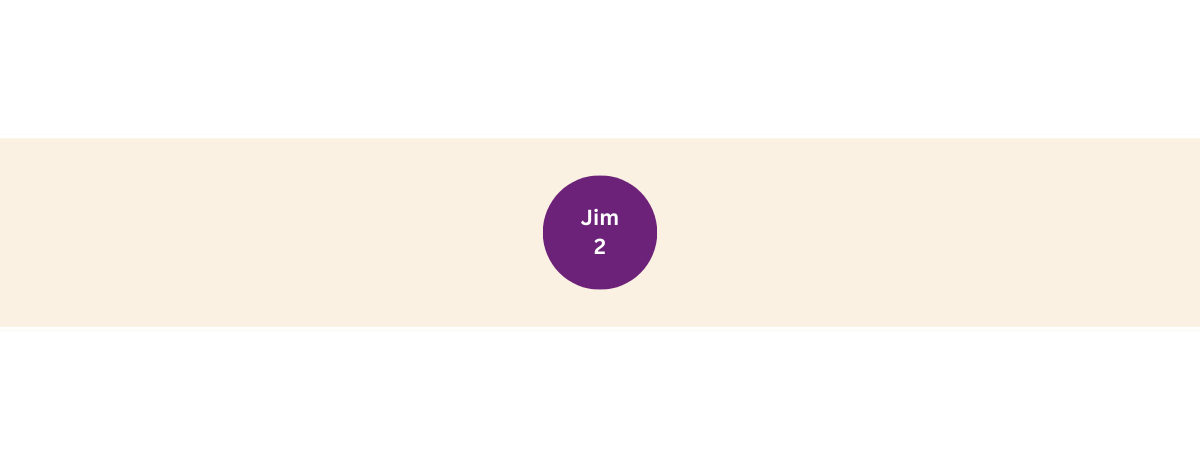
So far, there’s nothing too exciting. But let’s start defining some of the rules in the heap queue algorithm:
Each node can have at most two child nodes—that’s two nodes connected to it.
So let’s add more nodes as more customers join the queue.
Pam joined next. So Pam’s node starts as a child node linked to the only node you have so far:
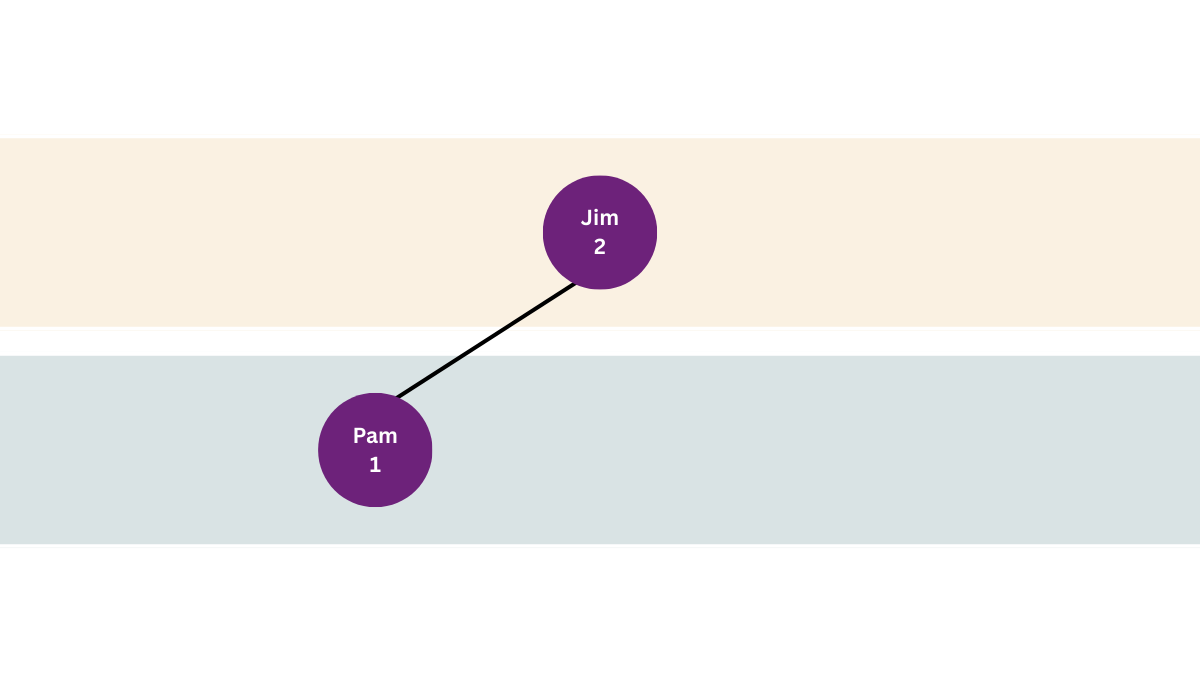
However, here’s the second rule for dealing with a heap queue:
A child cannot have a higher priority than its parent. If it does, swap places between child and parent.
Recall that 1 represents the highest priority:
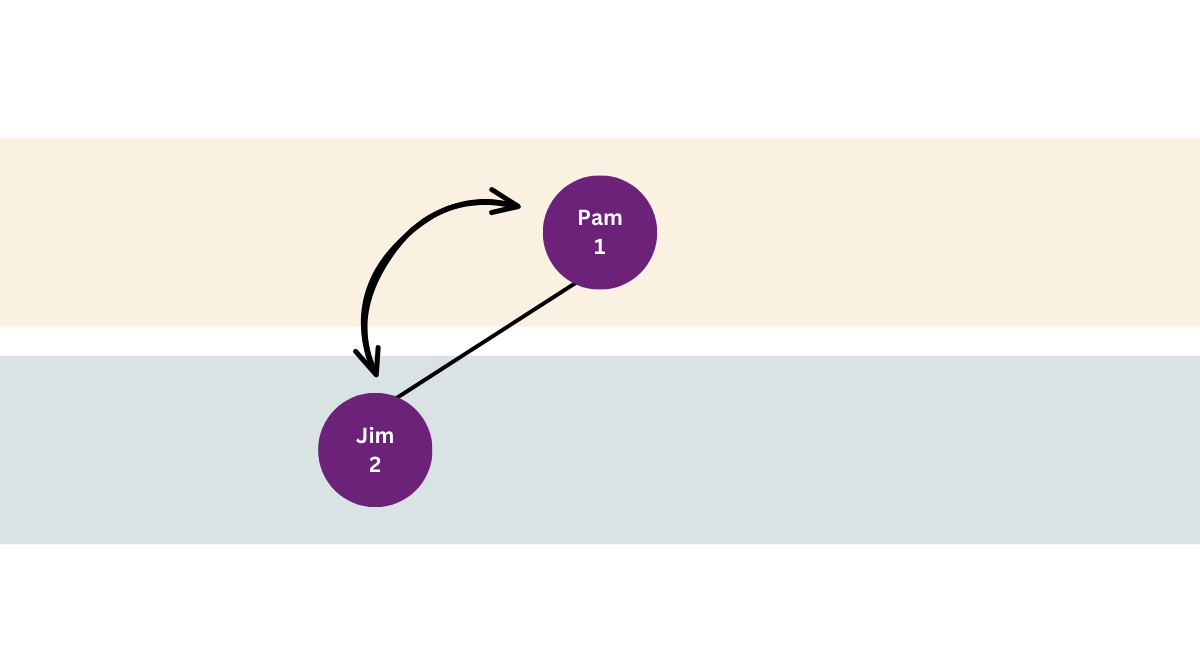
Pam (Gold tier / 1) is now the parent node, and Jim (Silver tier / 2) is now the child node and lies in the second layer in the hierarchy.
Bronze-tier member Dwight joined next. Recall that each parent node can have at most two child nodes. Since Pam’s node still has an empty slot, you add Dwight as a child node to Pam’s node:
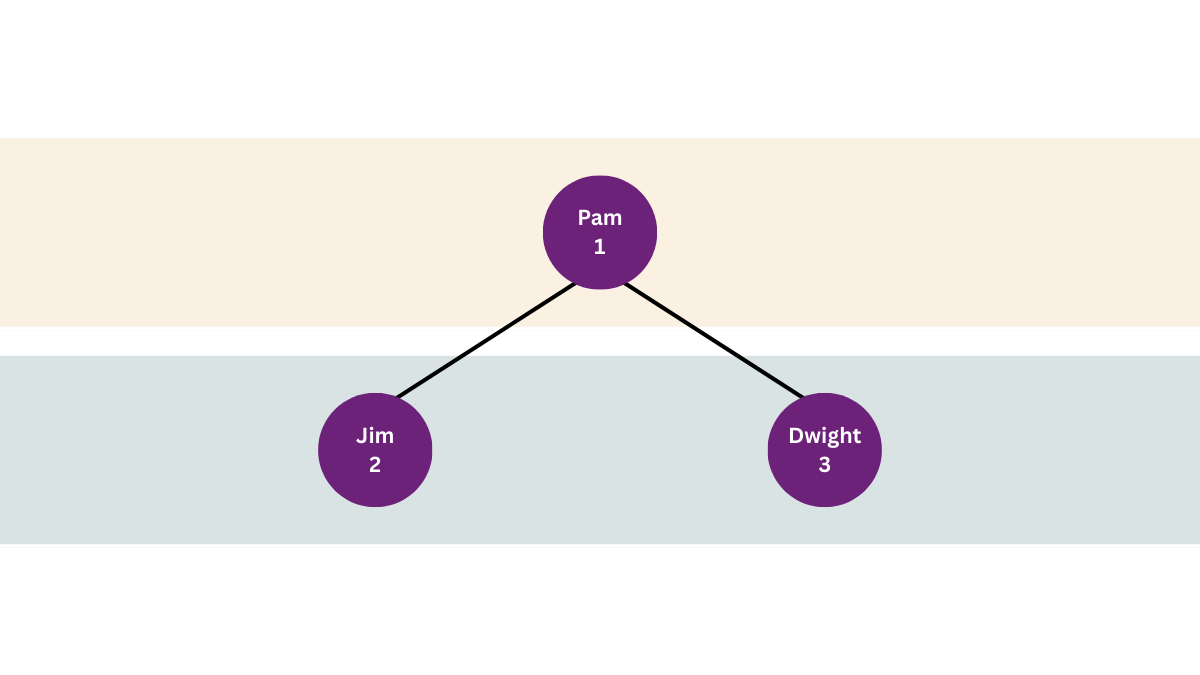
Let’s apply the second rule: the child node cannot have a higher priority than its parent. Dwight is a Bronze-tier member, and so he has a lower priority than Pam. All fine. No swaps needed.
Michael joined the queue next. He’s a Silver-tier member. Since Pam’s node already has two child nodes, you can’t add more child nodes to Pam. The second layer of the hierarchy is full. So, you take the first node in the second layer, and this now becomes a parent node. So you can add a child node to Jim:
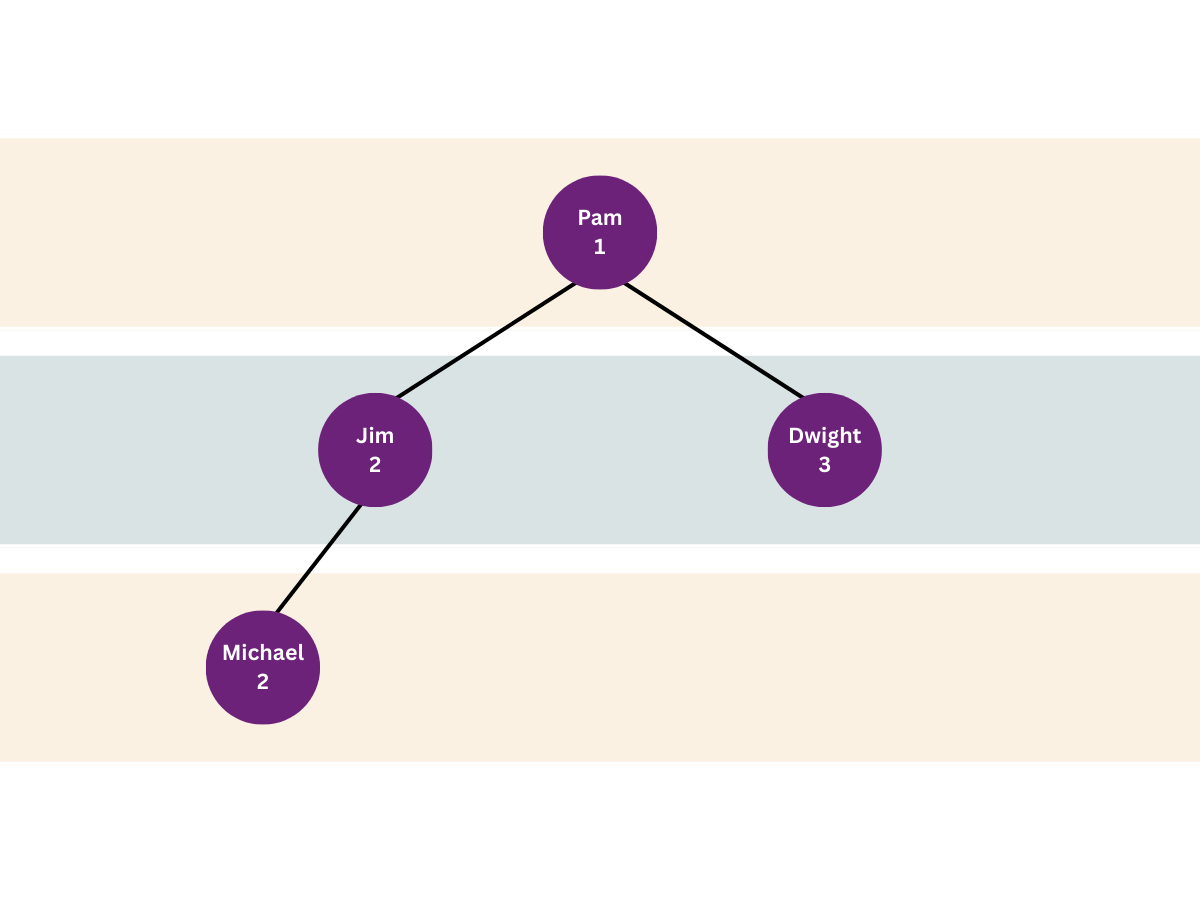
Time to apply the second rule. But Michael, who’s in the child node, has the same membership tier as Jim, who’s in the parent node. Python doesn’t stop here to resolve the tie. But you’ll explore this later in this post. For now, just take my word that no swap is needed.
Let’s look at the list service_queue again. Recall that this list is hosting the priority queue:

The priority queue has one node in the top layer. So the first item in the list represents the only node in the top layer. That’s (1, Pam).
The second and third items in the list represent the second layer. There can only be at most two items in this second layer. The fourth item in the list is therefore the start of the third layer. That’s why it’s fine for Michael to come after Dwight in the order in the list. It’s not the actual order in the list that matters, but the relationship between nodes in the heap tree.
But there’s more fun to come as we add more customers and start serving them—and therefore remove them from the priority queue! Let’s add some more customers first.
Angela, a Bronze-tier member, joins the queue next. Let’s add the new node to the tree first:
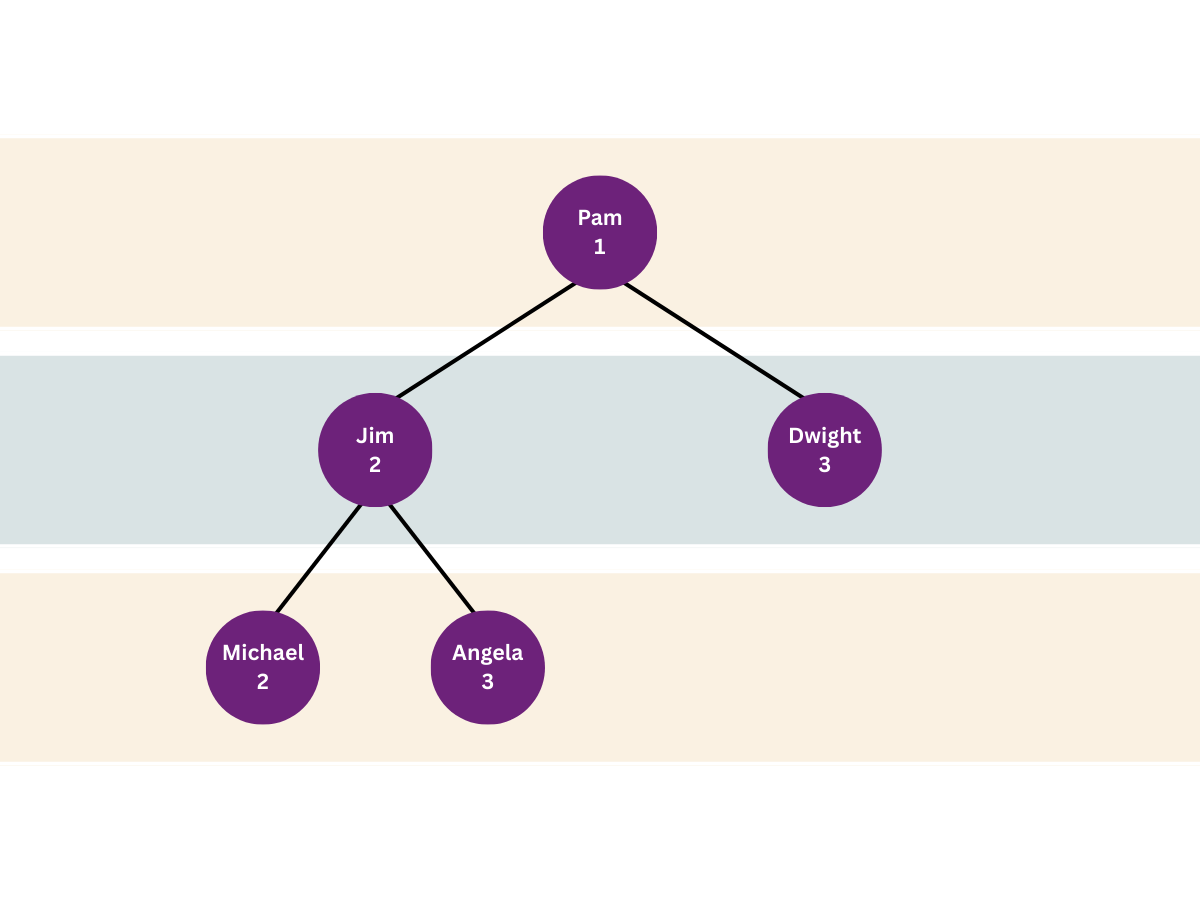
The relationship between parent and child doesn’t violate the heap queue rule. Angela (Bronze) has a lower priority than the person in the parent node, Jim (Silver):

One more client comes in. It’s Kevin, and he’s a Gold-tier member:
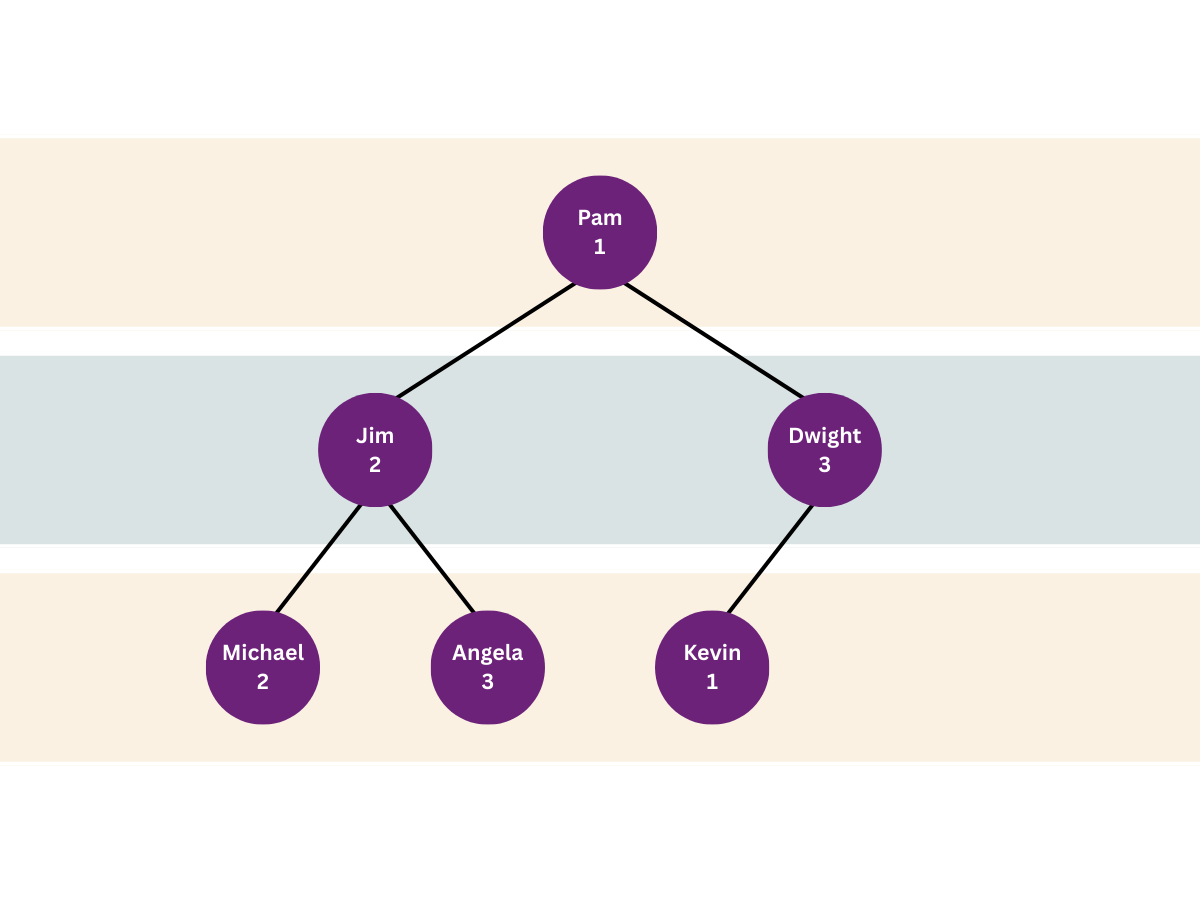
There are no more free slots linked to Jim’s node, so you add Kevin as a child node linked to Dwight. But Kevin has a higher priority than Dwight, so you swap the nodes:
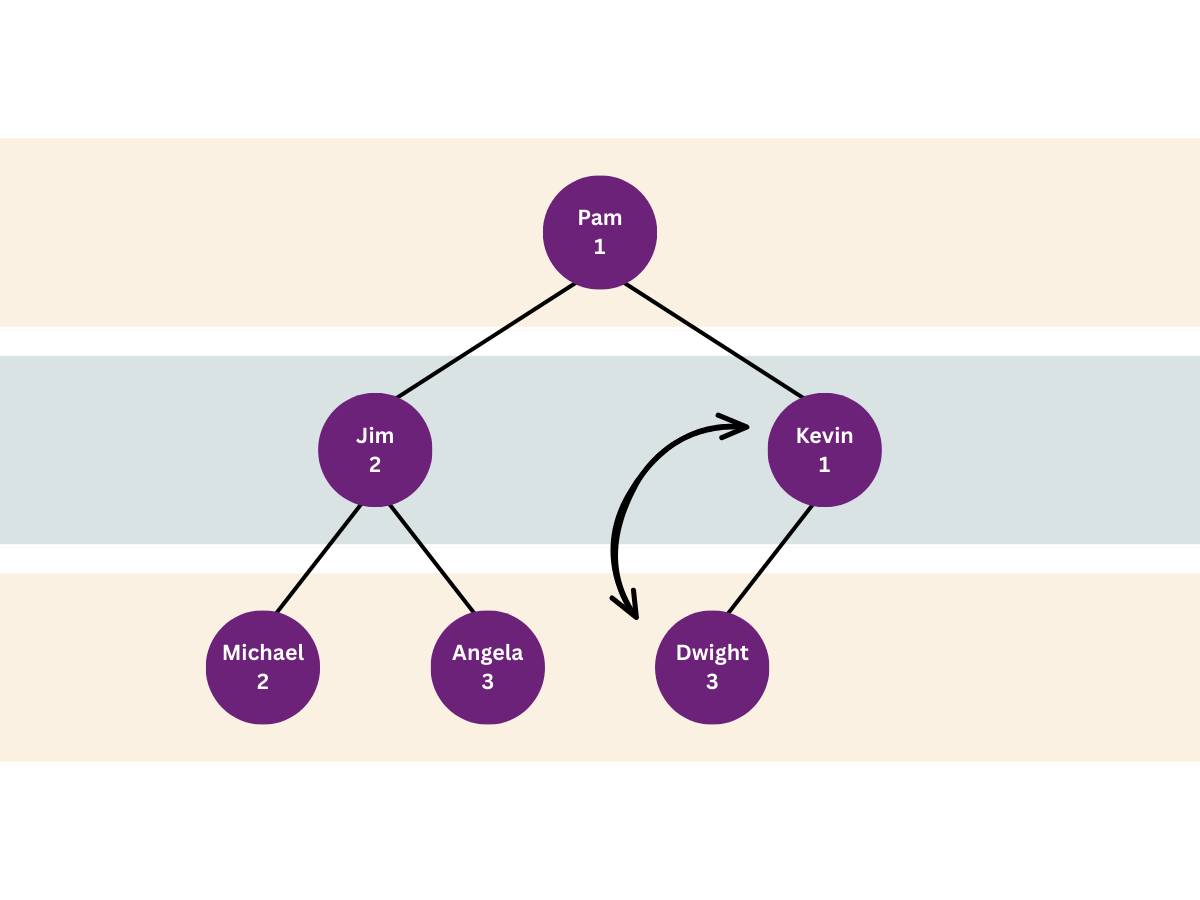
But now you need to compare Kevin’s node with its parent. Pam and Kevin both have the same membership level. They’re Gold-tier members.
But how does Python decide priority in this case?

Python thinks that (1, “Kevin”) has a higher priority than (1, “Pam”)—in Python’s heap queue algorithm, an item takes priority if it’s less than another item. Python is comparing tuples. It doesn’t know anything about your multi-tier queuing system.
When Python compares tuples, it first compares the first element of each tuple and determines which is smaller. The whole tuple is considered smaller than the other if the first element is smaller than the matching first element in the other tuple. However, if there’s a tie, Python looks at the second element from each tuple.
Let’s briefly assume there’s a Gold-tier member called Adam:

Python now considers (1, “Adam”) as the item with a higher priority.
The second element of each tuple is a string. Therefore, Python sorts these out using alphabetical order (lexicographic order, technically).
That’s why Kevin takes priority over Pam even though they’re both Gold-tier members. ‘K’ comes before ‘P’ in the alphabet! You must swap Kevin and Pam:
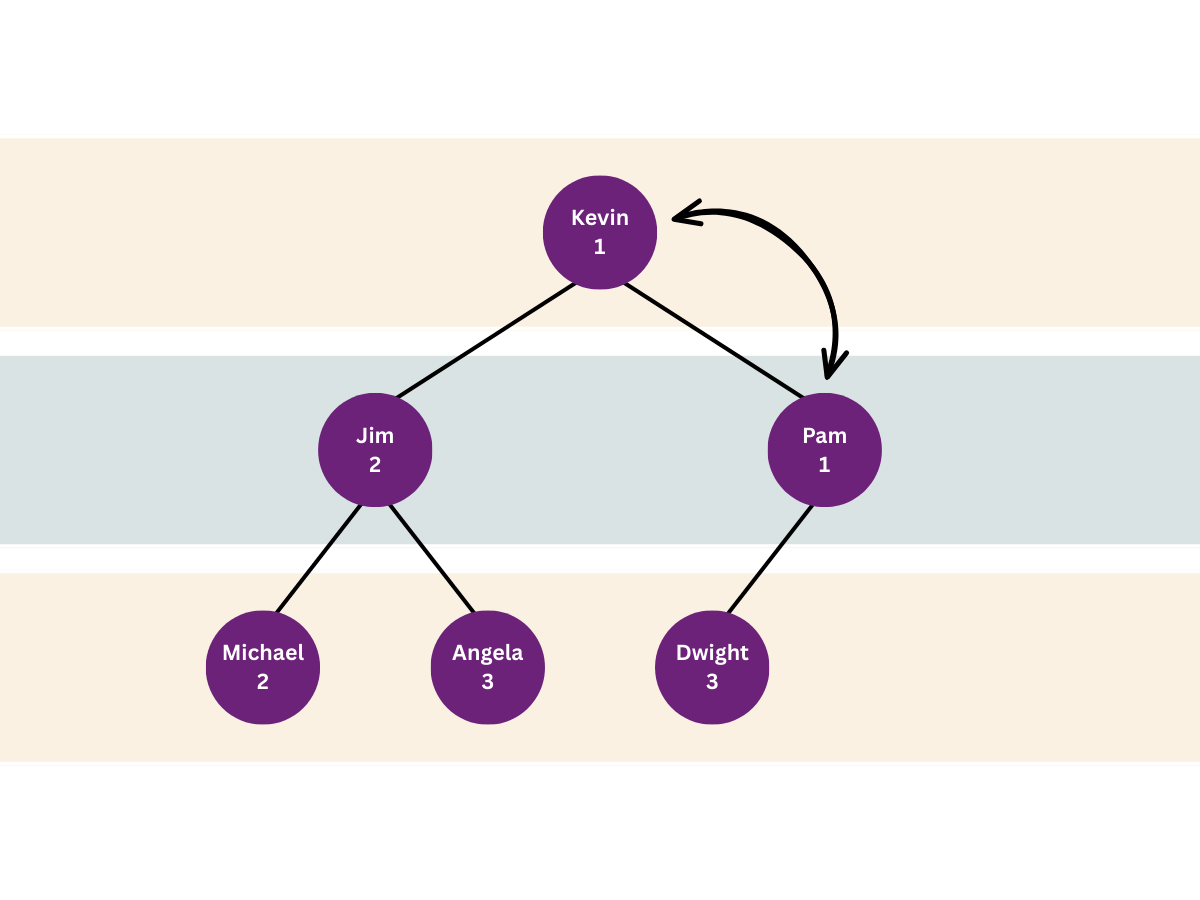
Note that the algorithm only needs to consider items along one branch of the tree hierarchy. Jim, Michael, and Angela weren’t disturbed to figure out where Kevin should go. This technique makes this algorithm efficient, especially as the number of items in the heap increases.
Incidentally, you can go back to when you added Michael to the queue and see why he didn’t leapfrog Jim even though they were both members of the same tier. ‘M’ comes after ‘J’ in the alphabet.
Now, we can argue that it’s not fair to give priority to someone just because their name comes first in alphabetical order. We’ll add timestamps later in this code to act as tie-breakers. But for now, let’s keep it simple and stick with this setup, where clients’ names are used to break ties.
Let’s check that the service_queue list matches the diagram above:
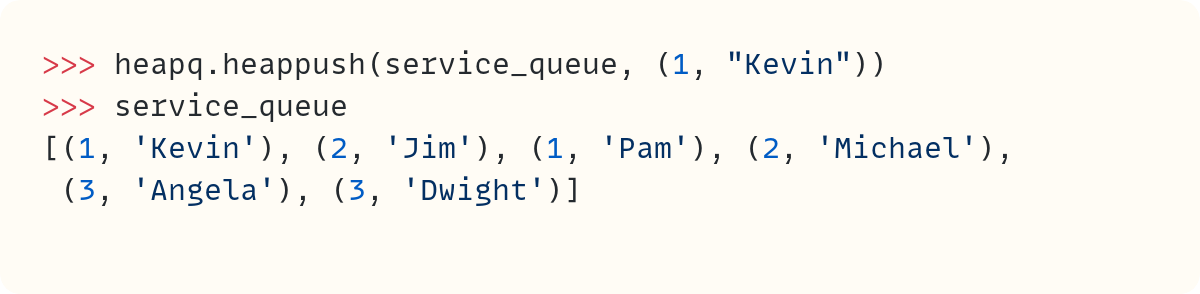
Kevin is in the first slot in the list, which represents the node at the top of the hierarchy. Jim and Pam are in the second layer, and Michael, Angela, and Dwight are the third generation of nodes. There’s still one more space in this layer. So, the next client would be added to this layer initially. But we’ll stop adding clients here in this post.
And How Does the Heap Queue Work When Removing Items?
It’s time to start serving these clients and removing them from the priority queue.
