


Learning how to use a tool can be challenging. But learning why you should use that tool–and when–is sometimes even more challenging.
In this post, I’ll discuss the OOP mindset–or, let’s say, one way of viewing the object-oriented paradigm. I debated with myself whether to write this article here on The Python Coding Stack. Most articles here are aimed at the “intermediate-ish” Python programmer, whatever “intermediate” means. Most readers may feel they already understand the ethos and philosophy of OOP. I know I keep discovering new perspectives from time to time. So here’s a perspective I’ve been exploring in courses I ran recently.
As you can see, I decided to write this post. At worst, it serves as revision for some readers, perhaps a different route towards understanding why we (sometimes) define classes and (always) use objects in Python. And beginners read these articles, too!
If you feel you’re an OOP Pro, go ahead and skip this post. Or just read it anyway. It’s up to you. You can always catch up with anything you may have missed from The Python Coding Stack’s Archive instead – around 120 full-length articles and counting!
This post is inspired by the introduction to OOP in Chapter 7 in The Python Coding Book – The Relaxed and Friendly Programming Book for Beginners
Meet Mark, a market seller. He sets up a stall in his local market and sells tea, coffee, and home-made biscuits (aka cookies for those in North America).
I’ll write two and a half versions of the code Mark could use to keep track of his stock and sales. The first one–that’s the half–is not very pretty. Don’t write code like this. But it will serve as a starting point for the main theme of this post. The second version is a stepping stone towards the third.
First (Half) Version • Not Pretty
Mark is also learning Python in his free time. He starts writing some code:

He was planning to write some functions to update the stock, change the cost price and selling price, and deal with a sale from his market stall.
But he stopped.
We’ll also stop here with this version.
Mark is a Python beginner, but even he knew this was not the best way to store the relevant data for each product he sells.
Four separate objects? Not ideal. Mark knows that the data in these four lists are linked to each other. The first items in each list belong together, and so on. But he’ll need to manually ensure he maintains these links in the code he writes. Not impossible, but it’s asking for trouble. So many things can go wrong. And he’ll have a tough time writing the code, making all those links in every line he writes.
Mark knows what the link is between the various values. But the computer program doesn’t. The computer program sees four separate data structures, unrelated to each other. You can try writing an update_stock() function with this version to see the challenges, the manual work needed to connect data across separate structures.
Let’s move on.
Second Version • Dictionary and Functions
Mark learnt about dictionaries. They’re a great way to group data together:
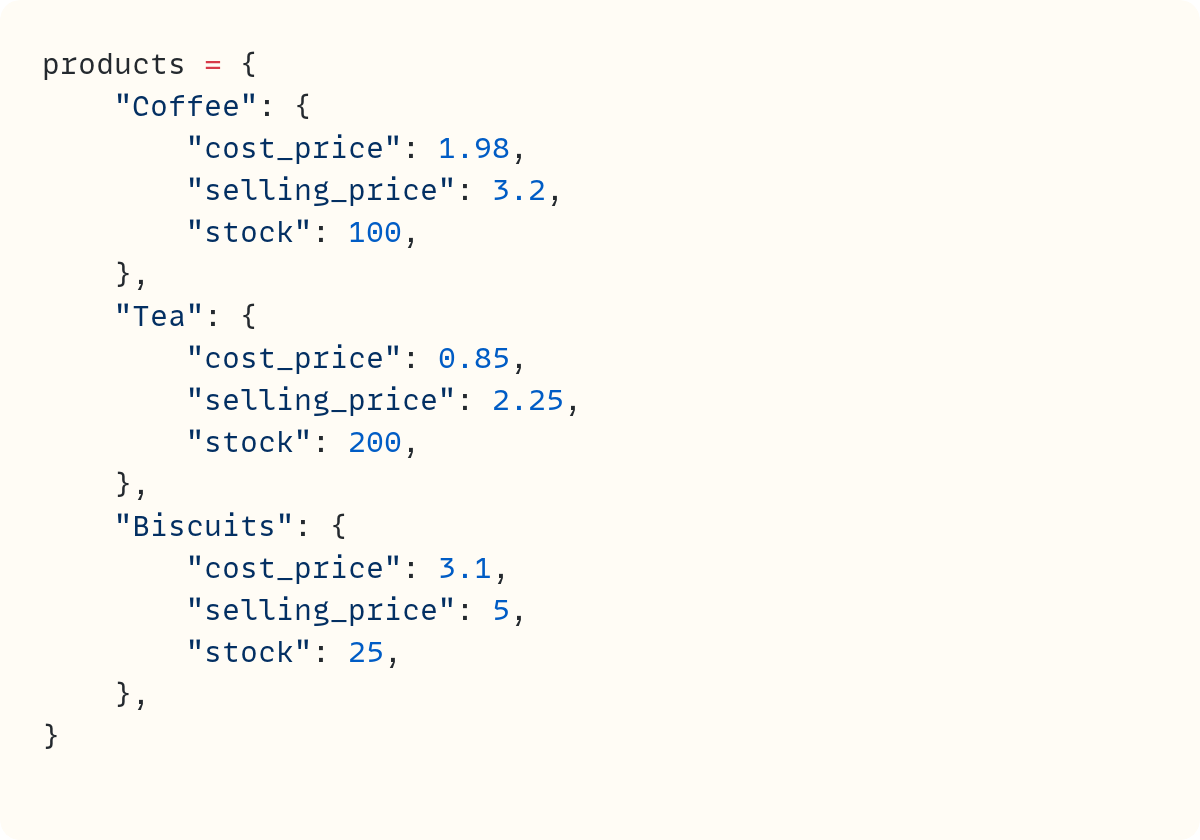
Now there’s one data structure that contains the three products he sells. This structure contains three other data structures, each containing all the relevant data for each product.
The data are structured into these dictionaries to show what belongs where. In this version, the Python program “knows” which data items belong together. Each dictionary contains related values.
Well done, Mark! He understood the need to organise the data into a sensible structure. This is not the only combination of nested data structures Mark could use, but this is a valid option. Certainly better than the first version!
He can write some functions now. First up is update_stock():
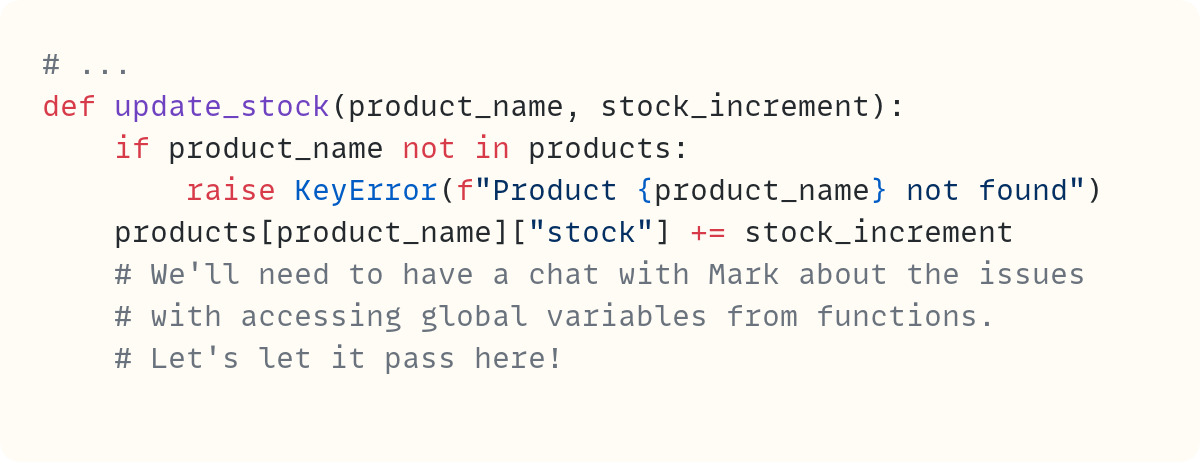
Let’s ignore the fact that Mark is accessing the global variable products within the function. We’ll have a chat with Mark about this.
Still, there’s now a function called update_stock(). It needs the product name as an argument. It also needs the stock amount to increase (or decrease if the value is negative).
Let’s look at another function Mark wrote:
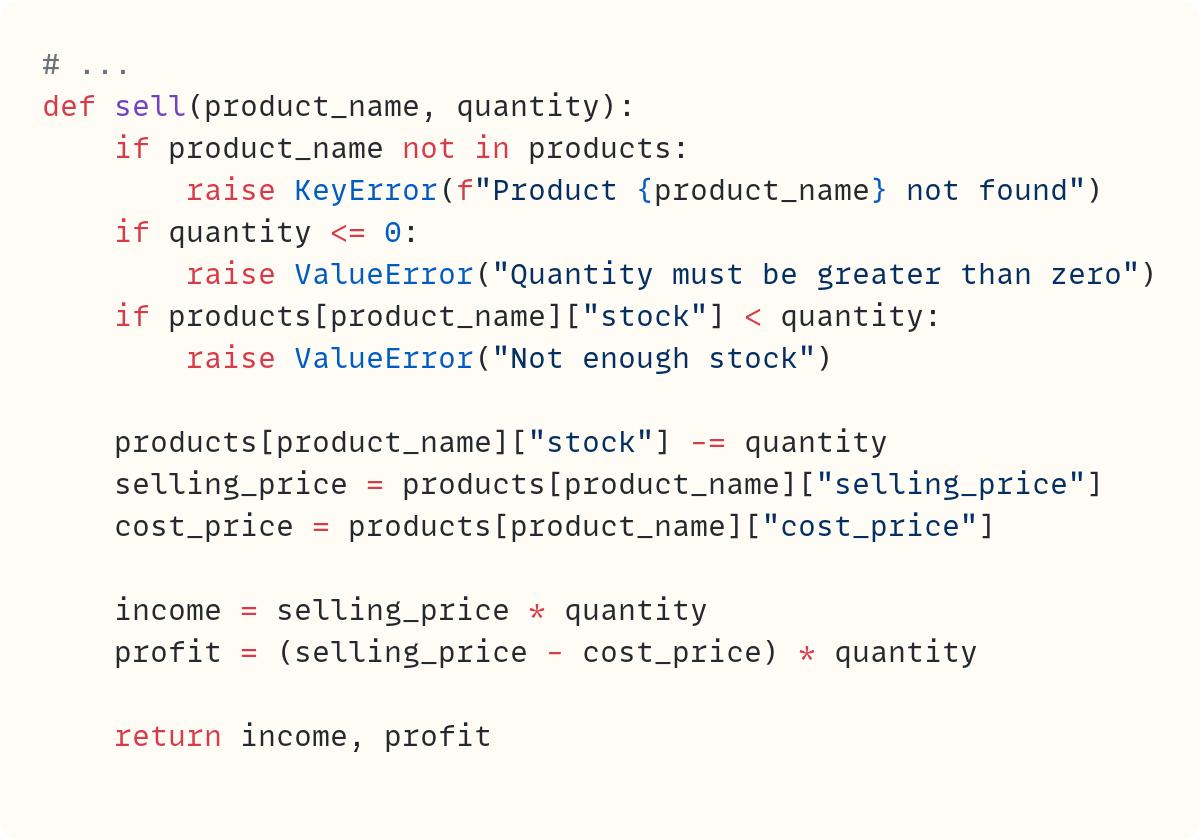
This function also needs the product name as one of its arguments. It also needs a second argument: the quantity sold.
Mark wrote other functions, but I’ll keep this section brief so I won’t show them. However, many of Mark’s functions have a few things in common:
They require the product name as one of the arguments. This makes sense since the operations Mark needs to carry out depend on which product he’s dealing with.
They make changes to the data in one of the inner dictionaries defined within
products.Some of them return data. Others don’t.
Great. Mark is happy with his effort.
He structured the data sensibly so it’s well organised. Separately, he wrote functions that use data from those data structures–the inner dictionaries in products and sometimes make changes to the data in those data structures.
Your call…
The Python Coding Place offers something for everyone:
• a super-personalised one-to-one 6-month mentoring option
$ 4,750
• individual one-to-one sessions
$ 125
• a self-led route with access to 60+ hrs of exceptional video courses and a support forum
$ 400
Which The Python Coding Place student are you?
Third Version • Class and Objects
Mark’s code stores data. The nested dictionaries in products deal with the storage part. His code also does stuff* with the data through the functions he wrote.
*stuff is not quite a Python technical term, in case you’re wondering. But it’s quite suitable here, I think!
Lots of programs store data and do stuff with data.
Object-oriented programming takes these two separate tasks–storing data and doing stuff with data–and combines them into a single “unit”. In OOP, this “unit” is the object. Objects are at the centre of the OOP paradigm, which is why OOP is called OOP, after all!
Mark’s progression from the first version to the second relied on structuring the data into units–the nested dictionary structure.
The progression from the second version to the third takes this a step further and structures the data and the functions that act on those data into a single unit: the object.
This structure means that the data for each object is contained within the object, and the actions performed are also contained within that object. Everything is self-contained within the object.
Let’s build a Product class for Mark. But let’s do this step by step, using the code from the second version and gradually morphing it into object-oriented code. This will help us follow the transition.
First, let’s create the class:

Nothing much to see so far. But this is the shell that will contain all the instructions for creating this “unit,” including all the relevant data and functionality.
You can already create an instance of this class – that’s another way of saying an object created from this class:
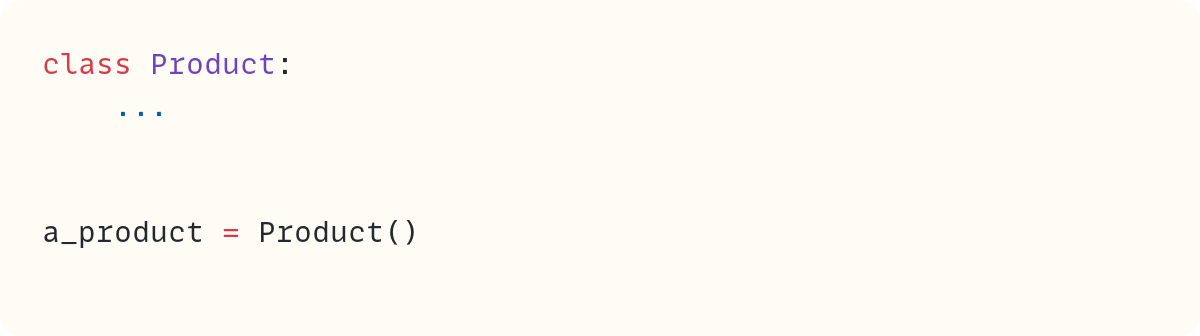
Whereas Product represents the class, Product() is an instance of the class. Note the parentheses. There’s only one Product, but you can create many instances using Product() .
Bundling In the Functionality • Methods
Now, let me take a route I recently explored for the first time while teaching OOP in a beginners’ course. It’s only subtly different from my “usual” teaching route, but I think it helped me appreciate the topic from a distinct perspective. So, here we go.
Let’s copy and paste the functions from version two directly into this class. Warning: This won’t work. We’ll need to make some changes. But let’s use this as a starting point:
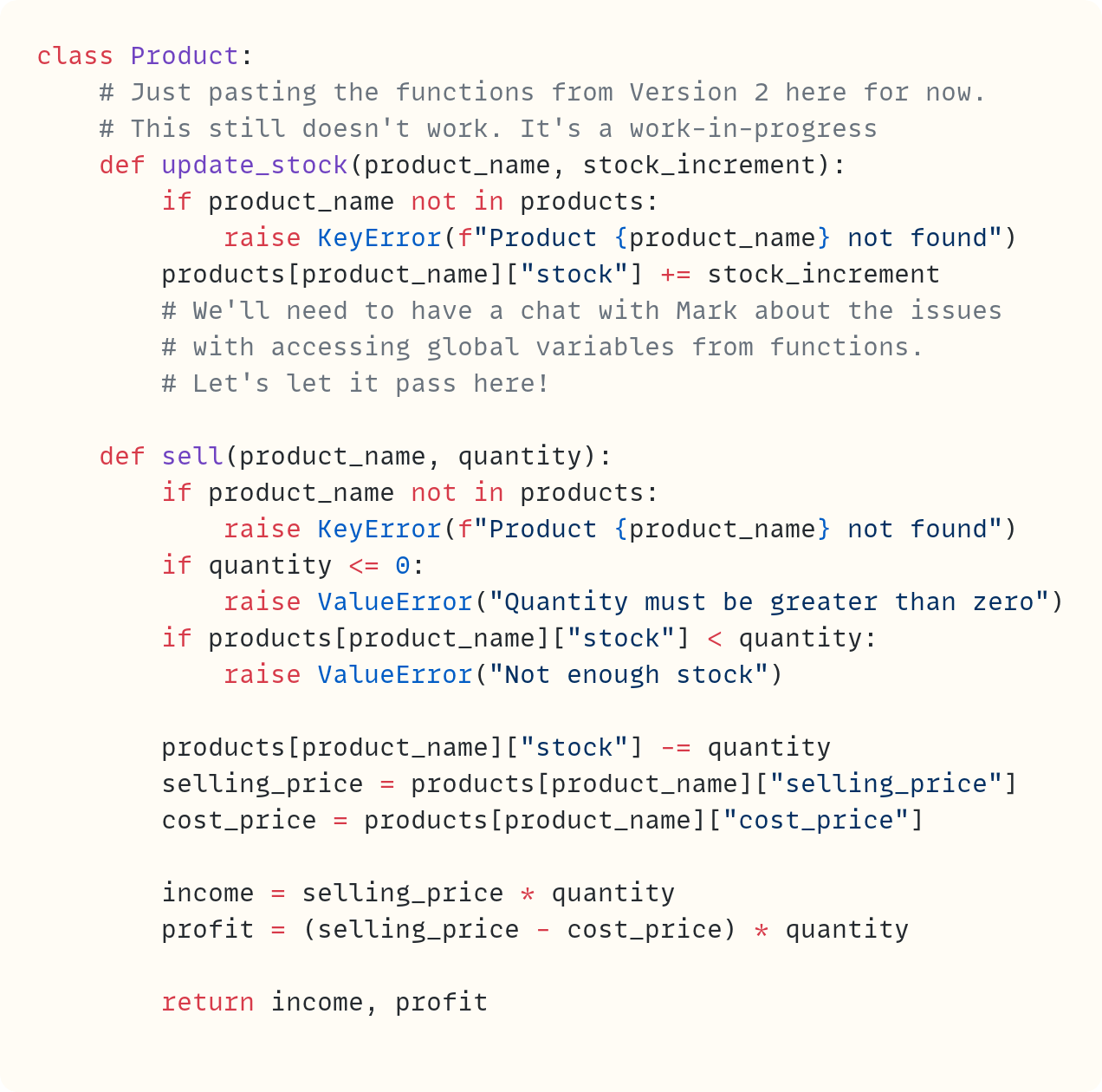
To keep you on your toes, we change the terminology here. These are functions. However, when they’re defined within a class definition, we call them methods. But they’re still functions. Everything you know about functions applies equally to methods.
You’ve seen that each function in version two needed to know which product it was dealing with. That’s why the first parameter is product_name. You used product_name to fetch the correct values when you needed the selling price, the cost price, or the number of items in stock.
However, now that we’re in the OOP domain, the object will contain all the data it needs–you’ll add the data-related code soon. You don’t need to fetch the data from anywhere else, just from the object itself.
Therefore, the functions defined within the class – the methods – no longer need the product name as the first argument. Instead, they need the entire object itself since this object contains all the data the method needs about the object.
We just need a parameter name to describe the object itself. How about self?
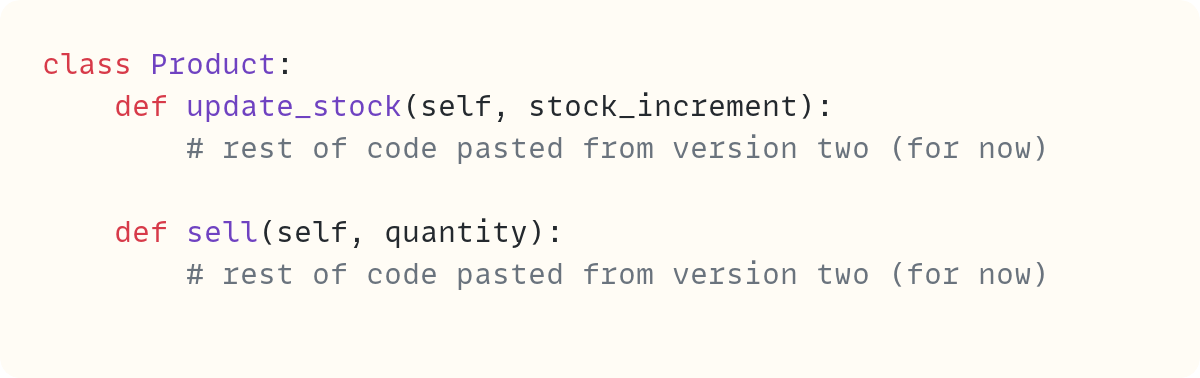
The method signatures now include self as the first parameter and whatever else the methods need as the remaining parameters.
Incidentally, although you can technically name this first parameter anything you want, there’s a strong convention to always use self. So it’s best to stick with self!
The methods are the tools you use to bundle functionality into the object. Let’s pause on working on the methods for now and shift our attention to how to store the data, which also needs to be bundled into the object.
Bundling In the Data • Data Attributes
Let’s get back to the code that creates an instance of the Product class:

The expression Product() does a few things behind the scenes. First, it creates a new blank object. Then it initialises this object. To initialise the object, Python needs to “do stuff”. Therefore, it needs a method. But not just any method. A special method:
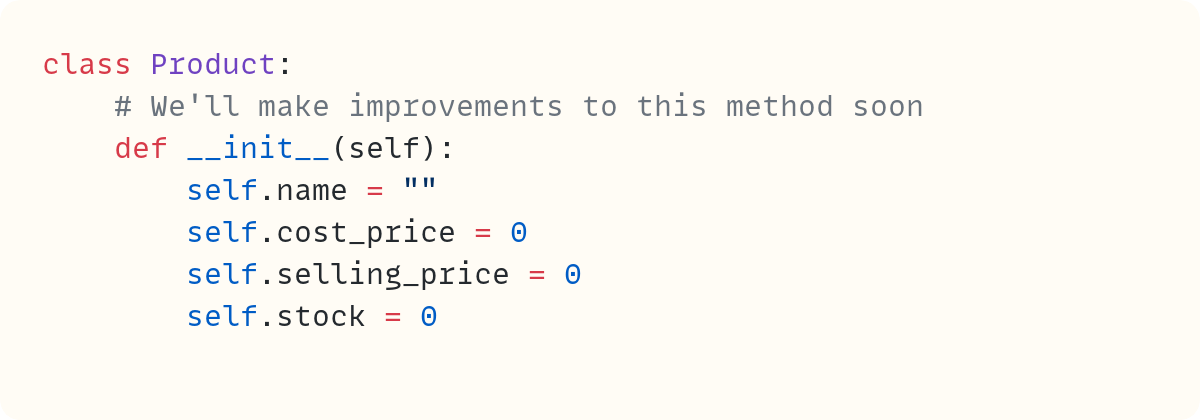
You can’t choose the name of this method. It must be .__init__(). But it’s still a method. It still takes self as the first parameter since it still needs access to the object itself. This method creates variables that are attached to the object. You can think of the dot as attaching name to self and so on for the others. We tend not to call these variables – more new terminology just for the OOP paradigm – they’re data attributes. They’re object attributes that store data.
For now, these data attributes contain default values: the empty string for the .name data attribute and 0 for the others. However, when you create an object, you often want to supply some or all of the data that the object needs. Often, you want to pass this information when you create the object:

However, when you run the code, you get an error:
Traceback (most recent call last):
  ...
    a_product = Product(”Coffee”, 1.98, 3.2, 100)
TypeError: Product.__init__() takes 1 positional
    argument but 5 were given
The error message mentions Product.__init__(). Note how you don’t explicitly use .__init__() in the expression to create a Product object. However, Python calls this special method behind the scenes. And when it does, it complains about the arguments you passed:
"Product.__init__() takes 1 positional argument..."is the first part of the error message. Makes sense, since you haveselfas the one and only parameter within the definition of the.__init__()special method."...but 5 [arguments] were given", the error message goes on to say. Wait, why 5? You pass four objects when you createProduct(): the string"Coffee", the floats1.98and3.2, and the integer100. Python can’t count, it seems?
Not quite. When Python calls a method, it automatically passes the object as the first argument. You don’t see this. You don’t need to do anything about it. It happens behind the scenes. So, soon after Product() creates a blank new instance, it calls .__init__() and passes the object as the first argument to .__init__(), the one that’s assigned to the parameter self.
Recall that methods are functions. So, Python automatically passes the object as the first argument so that these functions (methods) have access to the object.
That’s why the error message says that five arguments were passed: the object itself and the four remaining arguments.
This tells you that .__init__() needs five parameters. The first is self, which is the first parameter in these methods. Let’s add the remaining four:
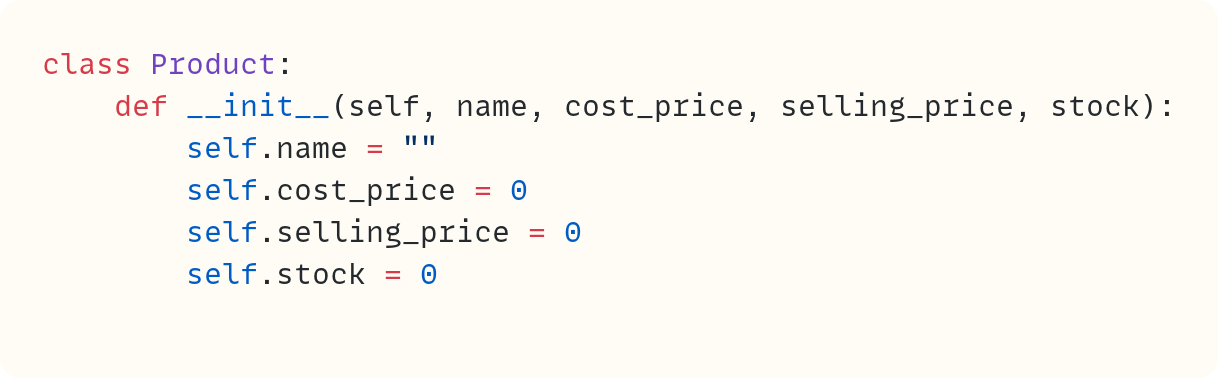
The code no longer raises an error since the number of arguments passed to Product() when you create the object – including the object itself, which is implied – matches the number of parameters in .__init__(). However, you want to shift the data into the data attributes you created earlier. These data attributes are the storage devices attached to the object. You want the data to be stored there:
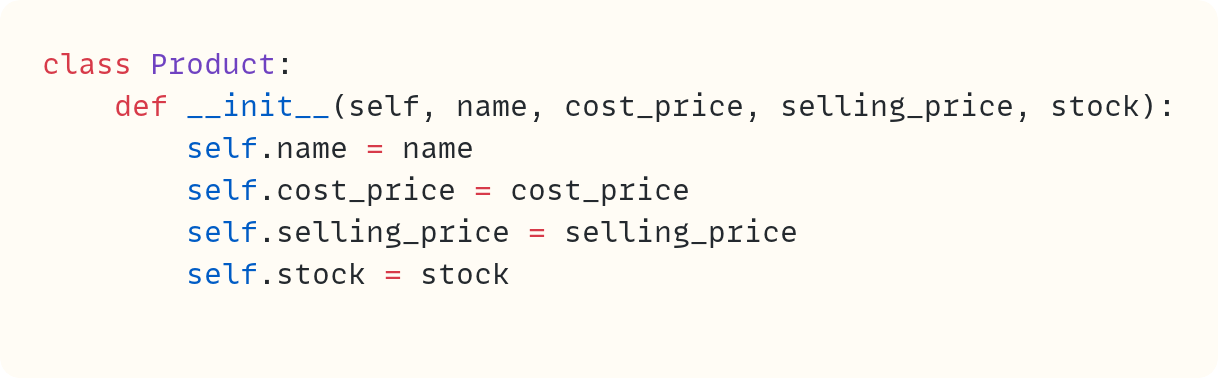
The parameters are used only to transfer the data from the method call to the data attributes. From now on, the data are stored in the data attributes, which are attached to the object.
Note that the data attribute names don’t have to match the parameter names. But why bother coming up with different names? Might as well use the same ones!
Now, you can create any object you wish, each having its own data:
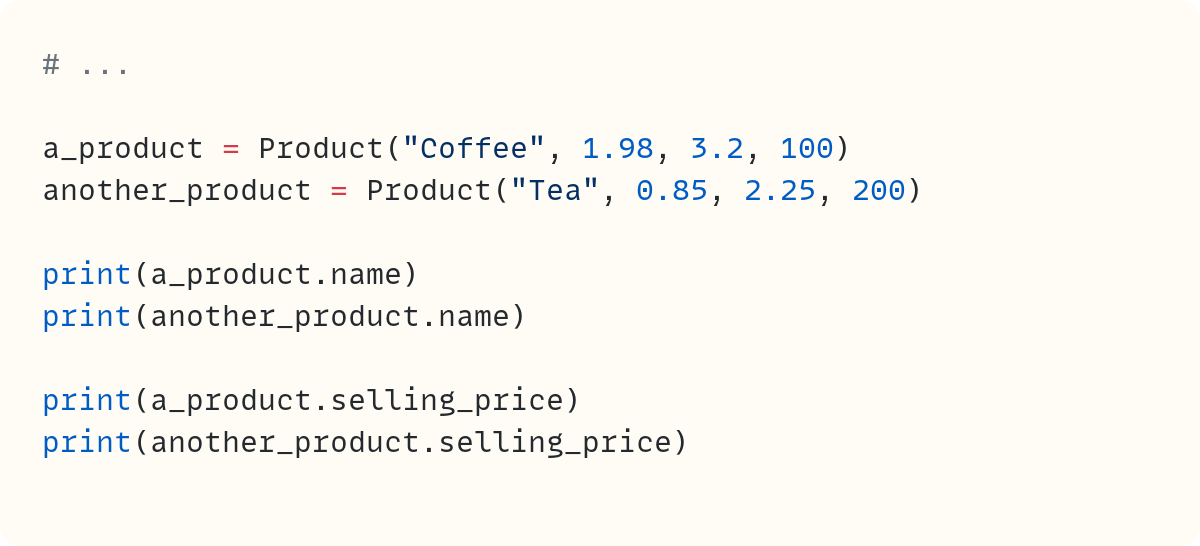
Here’s the output:
Coffee
Tea
3.2
2.25
Every instance of the Product class will have a .name, .cost_price, .selling_price, and .stock. But each instance will have its own values for those data attributes. Each object is distinct from the others. The data is self-contained within the object.
Back to the Functionality • Methods
Let’s look at the class so far, which still has code pasted from version two earlier:
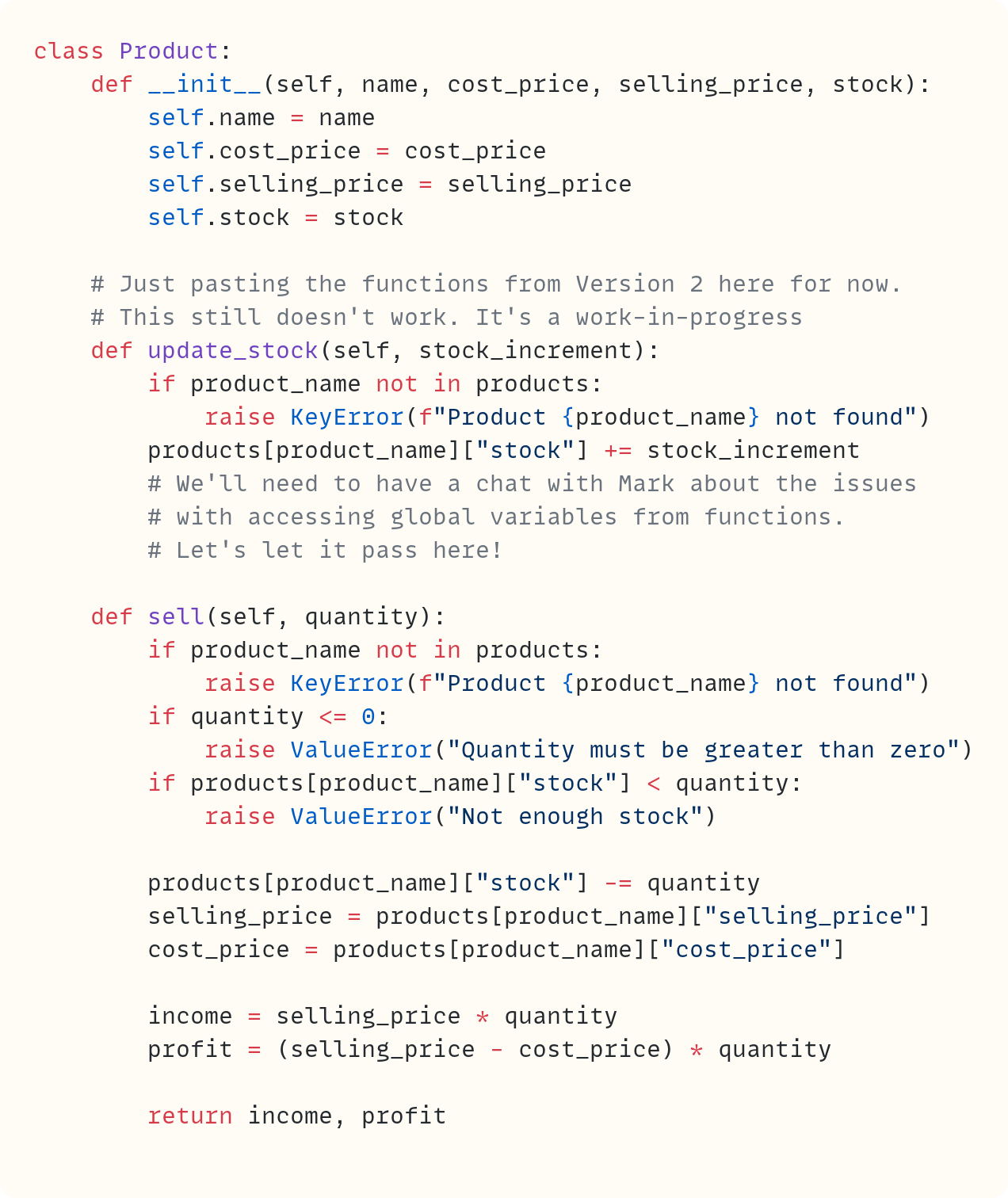
Let’s focus on .update_stock() first. Note how in my writing style guide, I use a leading dot when writing method names, such as .update_stock(). That’s because they’re also attributes of the object. To call a method, you call it through the object, such as a_product.update_stock(30).
Recall that Python will pass the object itself as the first argument to the method. That’s the argument assigned to self. You then pass 30 to the parameter stock_increment.
But this means that this method can only act on an object that already exists, that already has the data attributes it needs. You no longer need to check whether the product exists. If you’re calling this method, you’re calling it on a product. Checks on existence will happen elsewhere in your code.
So, all that’s left is to increment the stock for this object. The current stock is stored in the .stock data attribute – the data attribute that’s connected to the object. But you passed the object to .update_stock(), so you can access self.stock from within the method:

And that’s it. Everything is self-contained within the object. The method acts on the object and modifies one of the object’s data attributes.
How about the .sell() method?
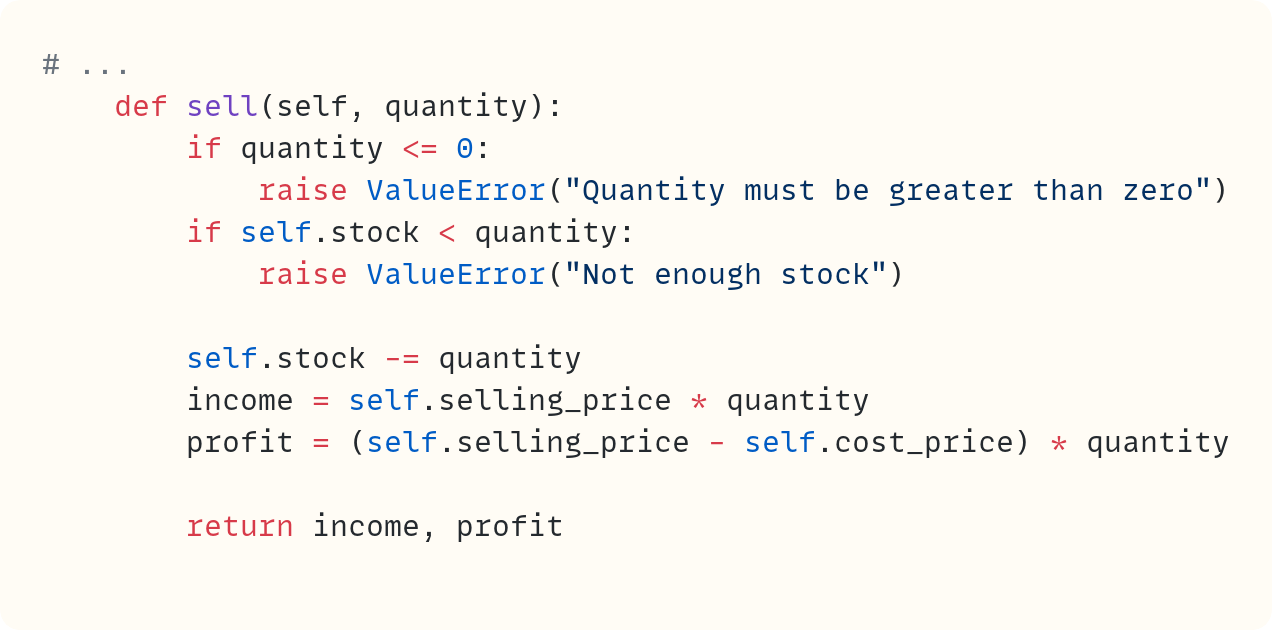
Again, you can remove the validation to check that the product exists. A method is called on a Product object, so it exists. This method then uses three of the object’s data attributes to perform its task.
Note that you can add similar validation in .update_stock() to ensure the stock doesn’t dip below 0. However, stock_increment can be negative to enable reducing the stock. You could even use .update_stock() within .sell() if you wish.
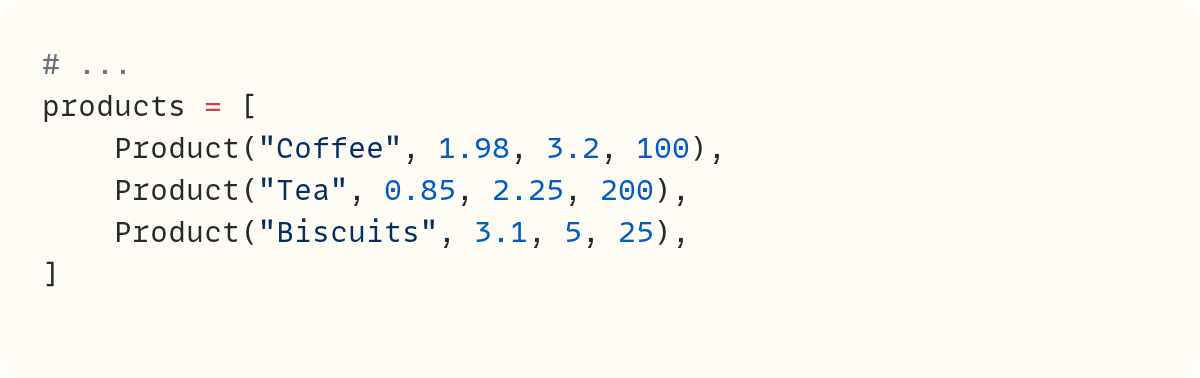
Ah, what about the biscuits? You can still use a list of products, but this time the list contains Product objects:
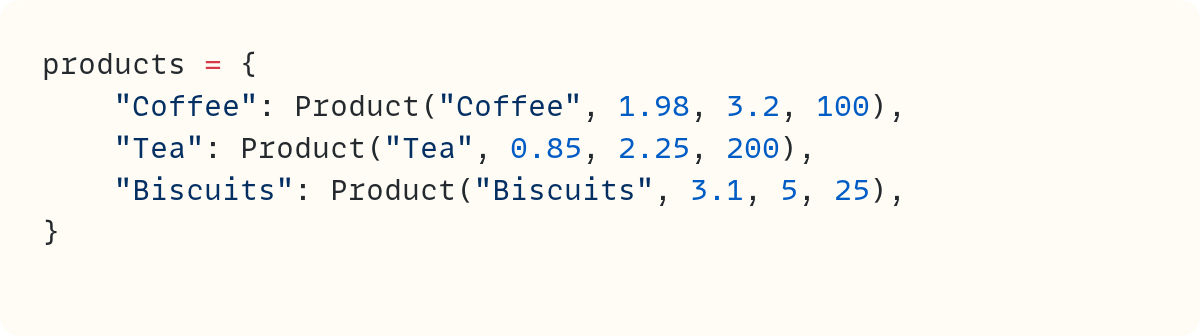
Or, if you prefer, you can use a dictionary:
Let’s trial out this dictionary and the Product class:
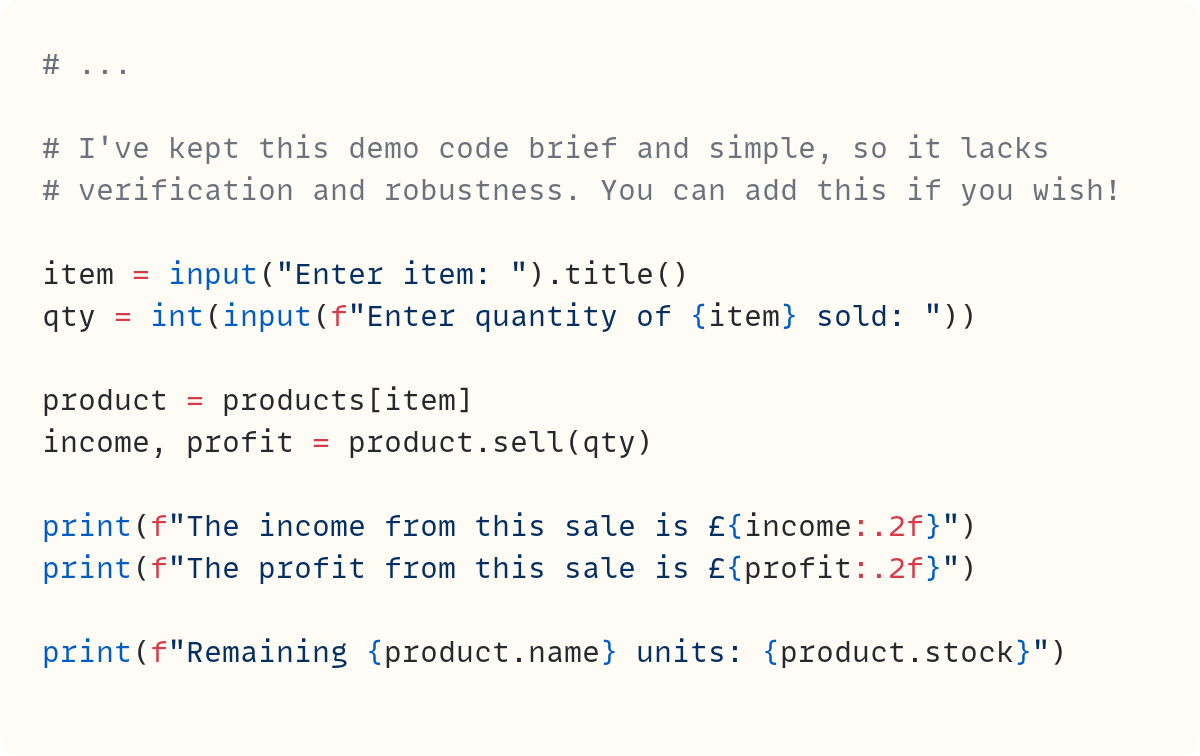
In this basic use case, you use the item input by the user to fetch the corresponding Product object from the products dictionary. You assign this object to the variable name product. Then you can call its methods, such as .sell(), and access its data attributes, such as .name and .stock.
Here’s the output from this code, including sample user inputs:
Enter item: coffee
Enter quantity of Coffee sold: 3
The income from this sale is £9.60
The profit from this sale is £3.66
Remaining Coffee units: 97
Final Words
The aim of this article is not to provide a comprehensive and exhaustive walkthrough of OOP. I wrote elsewhere about OOP. You can start from The Python Coding Book and then read the seven-part series A Magical Tour Through Object-Oriented Programming in Python • Hogwarts School of Codecraft and Algorithmancy.
You can learn about the syntax and the mechanics of defining and using classes. And that’s important if you want to write classes. But just as importantly, you need to adopt an OOP mindset. A central point is how OOP bundles data and functionality into a single unit, the object, and how everything stems from that structure.
In this post, you saw how data is bundled into the object through data attributes. And you bundled the high-level functionality that matters for your object through the methods .update_stock() and .sell(). Mark will need more of these methods, as you can imagine.
However, the object also includes low-level functionality. What should Python do when it needs to print the object? How about if it needs to add it to another object? Should that be possible? Should the object be considered False under any circumstance, say? These operations are defined by an object’s special methods, also known as dunder methods. I proposed thinking of these as “plumbing methods” recently: “Python’s Plumbing” Is Not As Flashy as “Magic Methods” • But Is It Better?
Therefore, there’s plenty of high-level and low-level functionality bundled within the object. And the data, of course.
Here’s another relatively recent post you may enjoy in case you missed it when it was published: My Life • The Autobiography of a Python Object.
In summary, OOP structures data and functionality into a single unit – the object. Then, your code is oriented around this object.
Do you want to master Python one article at a time? Then don’t miss out on the articles in The Club which are exclusive to premium subscribers here on The Python Coding Stack

Photo by gomed fashion
Code in this article uses Python 3.14
The code images used in this article are created using Snappify. [Affiliate link]
Join The Club, the exclusive area for paid subscribers for more Python posts, videos, a members’ forum, and more.
You can also support this publication by making a one-off contribution of any amount you wish.
For more Python resources, you can also visit Real Python—you may even stumble on one of my own articles or courses there!
Also, are you interested in technical writing? You’d like to make your own writing more narrative, more engaging, more memorable? Have a look at Breaking the Rules.
And you can find out more about me at stephengruppetta.com
Further reading related to this article’s topic:
Appendix: Code Blocks
Code Block #1
products = ["Coffee", "Tea", "Biscuits"]
cost_price = [1.98, 0.85, 3.1]
selling_price = [3.2, 2.25, 5]
stock = [100, 200, 25]
Code Block #2
products = {
    "Coffee": {
        "cost_price": 1.98,
        "selling_price": 3.2,
        "stock": 100,
    },
    "Tea": {
        "cost_price": 0.85,
        "selling_price": 2.25,
        "stock": 200,
    },
    "Biscuits": {
        "cost_price": 3.1,
        "selling_price": 5,
        "stock": 25,
    },
}
Code Block #3
# ...
def update_stock(product_name, stock_increment):
    if product_name not in products:
        raise KeyError(f"Product {product_name} not found")
    products[product_name]["stock"] += stock_increment
    # We'll need to have a chat with Mark about the issues
    # with accessing global variables from functions.
    # Let's let it pass here!
Code Block #4
# ...
def sell(product_name, quantity):
    if product_name not in products:
        raise KeyError(f"Product {product_name} not found")
    if quantity <= 0:
        raise ValueError("Quantity must be greater than zero")
    if products[product_name]["stock"] < quantity:
        raise ValueError("Not enough stock")

    products[product_name]["stock"] -= quantity
    selling_price = products[product_name]["selling_price"]
    cost_price = products[product_name]["cost_price"]

    income = selling_price * quantity
    profit = (selling_price - cost_price) * quantity

    return income, profit
Code Block #5
class Product:
    ...
Code Block #6
class Product:
    ...


a_product = Product()
Code Block #7
class Product:
    # Just pasting the functions from Version 2 here for now.
    # This still doesn't work. It's a work-in-progress
    def update_stock(product_name, stock_increment):
        if product_name not in products:
            raise KeyError(f"Product {product_name} not found")
        products[product_name]["stock"] += stock_increment
        # We'll need to have a chat with Mark about the issues
        # with accessing global variables from functions.
        # Let's let it pass here!

    def sell(product_name, quantity):
        if product_name not in products:
            raise KeyError(f"Product {product_name} not found")
        if quantity <= 0:
            raise ValueError("Quantity must be greater than zero")
        if products[product_name]["stock"] < quantity:
            raise ValueError("Not enough stock")

        products[product_name]["stock"] -= quantity
        selling_price = products[product_name]["selling_price"]
        cost_price = products[product_name]["cost_price"]

        income = selling_price * quantity
        profit = (selling_price - cost_price) * quantity

        return income, profit
Code Block #8
class Product:
    def update_stock(self, stock_increment):
        # rest of code pasted from version two (for now)

    def sell(self, quantity):
        # rest of code pasted from version two (for now)
Code Block #9
# ...

a_product = Product()
Code Block #10
class Product:
    # We'll make improvements to this method soon
    def __init__(self):
        self.name = ""
        self.cost_price = 0
        self.selling_price = 0
        self.stock = 0
Code Block #11
# ...

a_product = Product("Coffee", 1.98, 3.2, 100)
Code Block #12
class Product:
    def __init__(self, name, cost_price, selling_price, stock):
        self.name = ""
        self.cost_price = 0
        self.selling_price = 0
        self.stock = 0
Code Block #13
class Product:
    def __init__(self, name, cost_price, selling_price, stock):
        self.name = name
        self.cost_price = cost_price
        self.selling_price = selling_price
        self.stock = stock
Code Block #14
# ...

a_product = Product("Coffee", 1.98, 3.2, 100)
another_product = Product("Tea", 0.85, 2.25, 200)

print(a_product.name)
print(another_product.name)

print(a_product.selling_price)
print(another_product.selling_price)
Code Block #15
class Product:
    def __init__(self, name, cost_price, selling_price, stock):
        self.name = name
        self.cost_price = cost_price
        self.selling_price = selling_price
        self.stock = stock

    # Just pasting the functions from Version 2 here for now.
    # This still doesn't work. It's a work-in-progress
    def update_stock(self, stock_increment):
        if product_name not in products:
            raise KeyError(f"Product {product_name} not found")
        products[product_name]["stock"] += stock_increment
        # We'll need to have a chat with Mark about the issues
        # with accessing global variables from functions.
        # Let's let it pass here!

    def sell(self, quantity):
        if product_name not in products:
            raise KeyError(f"Product {product_name} not found")
        if quantity <= 0:
            raise ValueError("Quantity must be greater than zero")
        if products[product_name]["stock"] < quantity:
            raise ValueError("Not enough stock")

        products[product_name]["stock"] -= quantity
        selling_price = products[product_name]["selling_price"]
        cost_price = products[product_name]["cost_price"]

        income = selling_price * quantity
        profit = (selling_price - cost_price) * quantity

        return income, profit
Code Block #16
# ...
    def update_stock(self, stock_increment):
        self.stock += stock_increment
Code Block #17
# ...
    def sell(self, quantity):
        if quantity <= 0:
            raise ValueError("Quantity must be greater than zero")
        if self.stock < quantity:
            raise ValueError("Not enough stock")

        self.stock -= quantity
        income = self.selling_price * quantity
        profit = (self.selling_price - self.cost_price) * quantity

        return income, profit
Code Block #18
# ...
products = [
    Product("Coffee", 1.98, 3.2, 100),
    Product("Tea", 0.85, 2.25, 200),
    Product("Biscuits", 3.1, 5, 25),
]
Code Block #19
products = {
    "Coffee": Product("Coffee", 1.98, 3.2, 100),
    "Tea": Product("Tea", 0.85, 2.25, 200),
    "Biscuits": Product("Biscuits", 3.1, 5, 25),
}
Code Block #20
# ...

# I've kept this demo code brief and simple, so it lacks
# verification and robustness. You can add this if you wish!

item = input("Enter item: ").title()
qty = int(input(f"Enter quantity of {item} sold: "))

product = products[item]
income, profit = product.sell(qty)

print(f"The income from this sale is £{income:.2f}")
print(f"The profit from this sale is £{profit:.2f}")

print(f"Remaining {product.name} units: {product.stock}")
For more Python resources, you can also visit Real Python—you may even stumble on one of my own articles or courses there!
Also, are you interested in technical writing? You’d like to make your own writing more narrative, more engaging, more memorable? Have a look at Breaking the Rules.
And you can find out more about me at stephengruppetta.com
FWIW, Substack now supports syntax highlighting, so there is no need to use images like you do IMHO.